01
Convert straight from the card Recommended
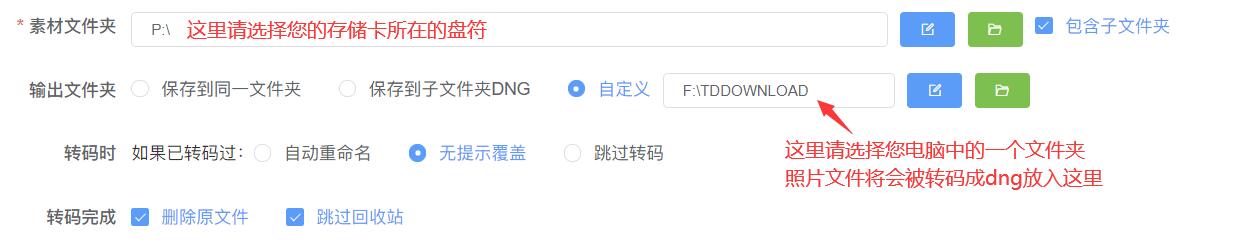
Point the source folder at the card and the output at your computer, then delete the originals from the card when it's done.
 RAW 2 DNG
 / 02 · 2026
Photos land on your computer already as DNG — no copying first and converting afterwards.
RAW from Sony, Canon, Nikon, Fujifilm and more converts fine. Transcoding is handled by the free Adobe DNG Converter — install it and you're set.
Point the source folder at the card and the output folder at your computer, hit start, and it keeps an eye on the rest.
They're practical differences — pick the ones you care about.
Opens fine even in a five-year-old Photoshop, and views on Android and iOS too.
No plug-in needed — thumbnails show up right in the folder.
An 80 MB RAW from a Sony A7R3 comes out around 40 MB, with no loss in image quality.
Smaller files mean faster Lightroom imports and faster backups to disk.
Copyright and capture time are preserved exactly — ready to serve as evidence if you ever need them.
CRM files from the EOS R5, R5C, R5 Mark II and R6 Mark III all convert; shoot in RAW mode — Light RAW shifts the colours.
Beyond reading cards and transcoding, it handles the tidying up and file transfer too.
Transcoding is done by Adobe DNG Converter, so a new camera model works as soon as you update the Converter (free).
Several files are processed at once — more cores, faster conversion.
A built-in FTP server lets the camera send photos over Wi-Fi, and files convert as they land — ideal for remote shoots.
Delete the source files, or move them to a Finished folder to keep a copy.
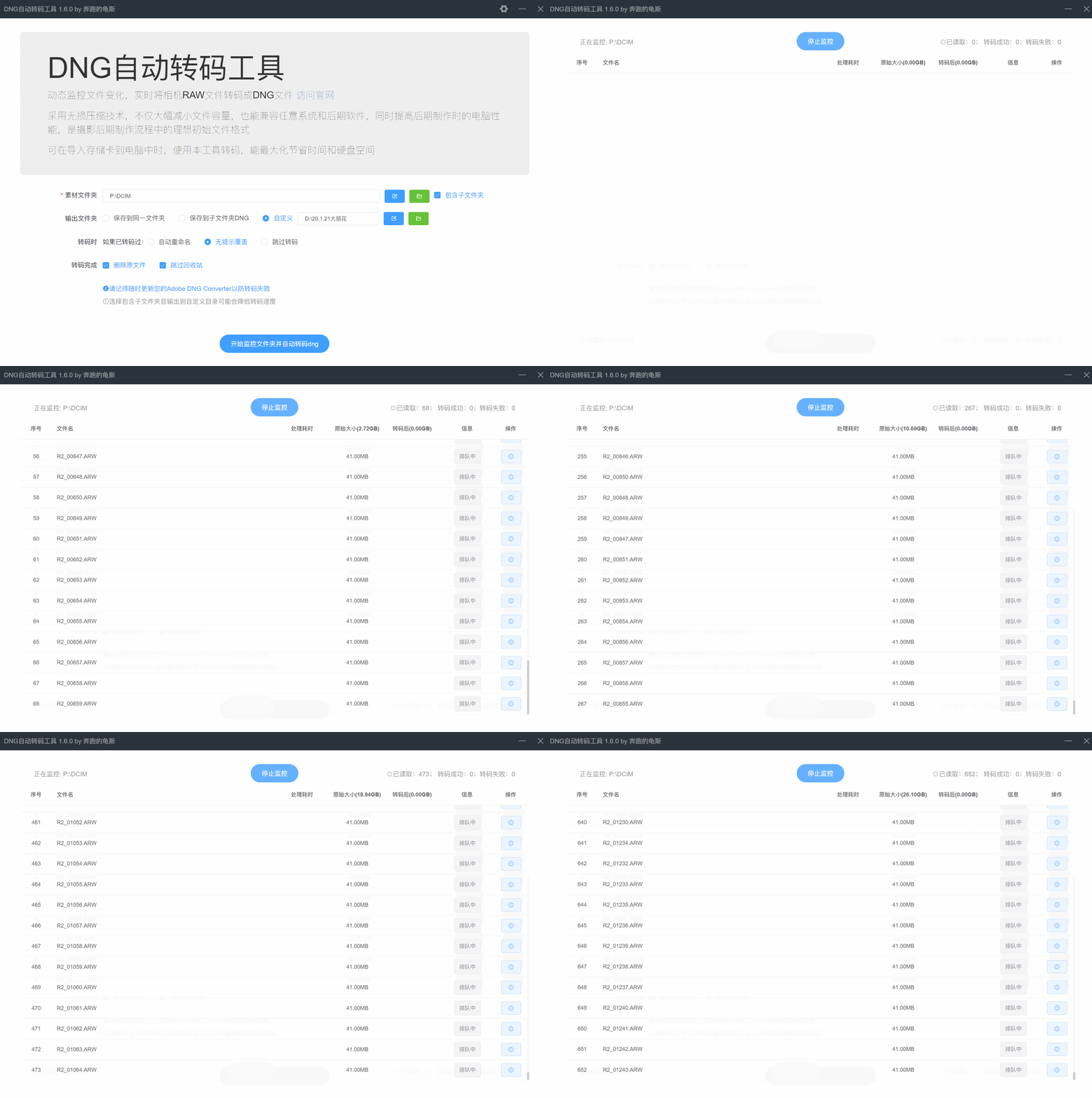
RAW is read from the card and written straight out as DNG — no extra copy of the original in between.
Reading, transcoding and writing happen in one pass — one full read/write cycle less than copying first.
Delete the originals afterwards, so the card and the drive never both hold a full set of RAWs.
Delete the originals or move them to Finished — set it up once and it cleans up after itself.
Straight from the card, converting as files arrive, or digging through an old drive — all three work; pick the one closest to your habits.
Point the source folder at the card and the output at your computer, then delete the originals from the card when it's done.
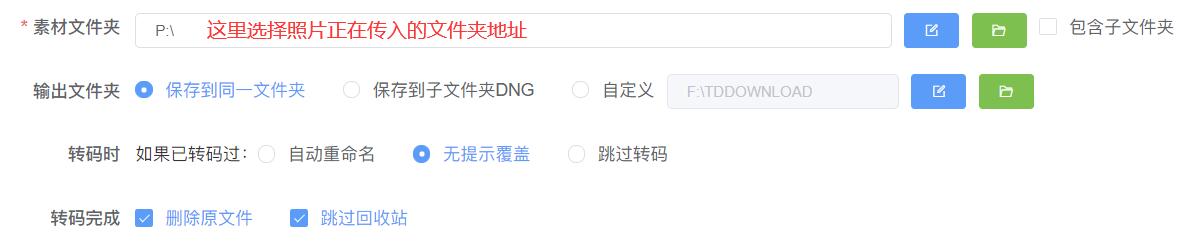
Point both source and output at the folder receiving the shots — photos are converted the moment they land.
Point the source folder at the drive root, tick "Include subfolders", and every old RAW converts in one go.

14 releases, from 1.0.0 in March 2021 to 1.9.2 in July 2026.
Adds CRM support for Canon EOS R6 Mark III.
Adds a built-in FTP server so cameras can send files over Wi-Fi, converting each one as it lands.
Adds CRM transcoding for Canon EOS R5C and R5 Mark II.
Shows a notice when transcoding CRM files.
Adds support for 8K RAW video from the Canon R5.
Custom output folders can now be nested several levels deep.
Fixes a bug that could lose footage.
Embeds full-size previews in DNG files; adds a context menu on Windows.
Fixes a hang when “Skip conversion” was selected.
Fixes transcoding not starting when “Convert to a custom folder” was selected; adds multi-core CPU support and reworks process scheduling.
Finds subfolders and converts them too; deleted source files go to the Recycle Bin.
Shows file sizes before and after transcoding.
Fixes several issues and trims down the interface.
First release.