
Sun & moon times
Computed for your exact location,
with accurate sunrise, sunset and golden-hour times every day.
MINIPROGRAM / 06 · 2026
Yao Lu's Landscape Photography Assistant — a WeChat Mini Program. Free, no ads, nothing to download or install.
Sun & moon · Milky Way · Moon phase · Core · Weather · Tides
See the sky02 / TOOLSExposure · Fill light · Light painting · Polar axis · Spots · Depth of field
See tools03 / MAPMap / satellite / navigation · paste coordinates
See the map04 / LOG1.0.0 → 3.8.0 · 14 versions
See the updatesSun and moon, the Milky Way, moon phase, the galactic core, weather and tides — all computed for where you are and the date you pick.
Computed for your exact location,
with accurate sunrise, sunset and golden-hour times every day.

When the Milky Way rises and sets on the date you choose

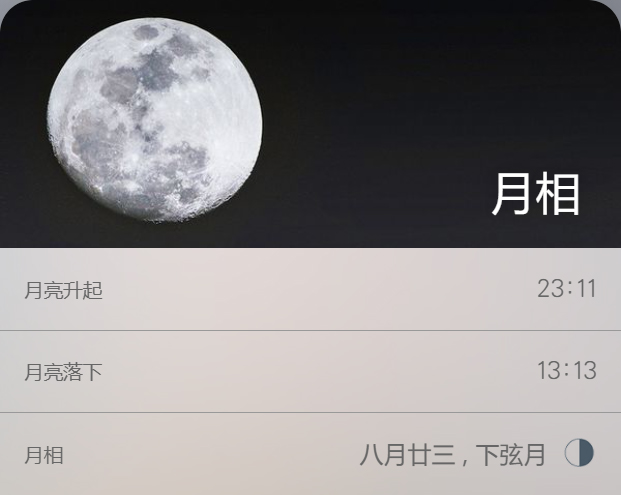
Moonrise and moonset times
plus the lunar date and moon phase for that day

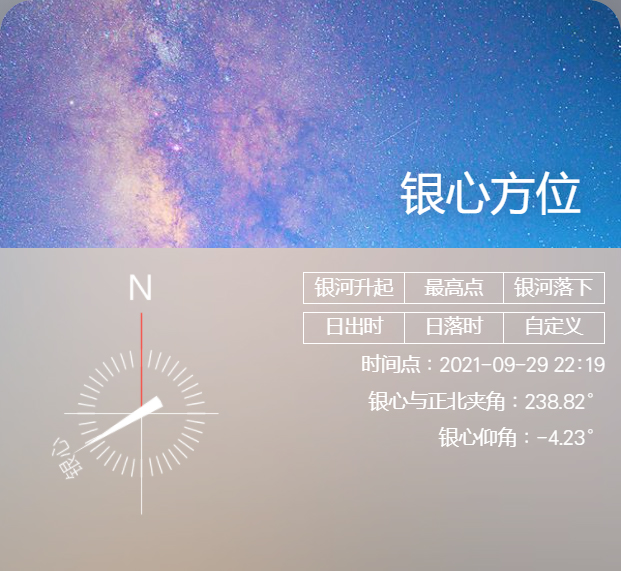
The core's bearing and altitude, minute by minute
with a compass to point the way

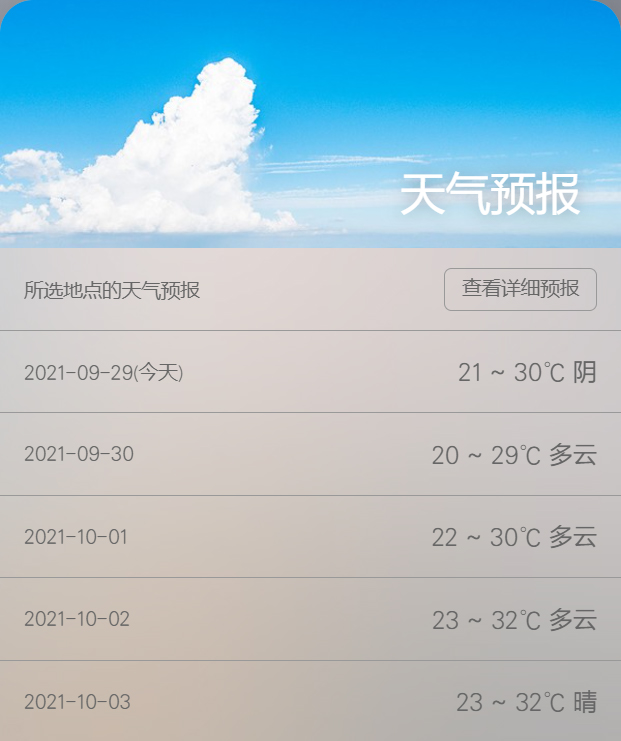
A 15-day global forecast plus 72 hours by the minute
covering humidity, air quality, cloud cover, rain chance and more

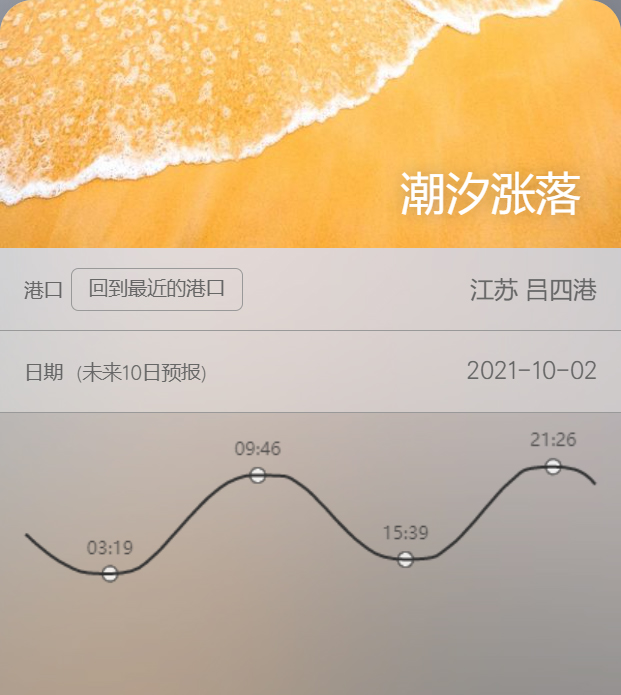
Ten days of tide tables for the station nearest you
across 400+ major ports worldwide
Each one solves a problem you hit on location.
The test frame looks right — so what shutter speed does the real shot need?
For a long exposure, start with a test frame at high ISO, a wide aperture and a short shutter to check framing and brightness. Then shoot the real frame at low ISO, a small aperture and a long shutter.
Enter the test settings, then the settings you want for the real shot (the shutter can be anything) and the tool gives the shutter time that holds the same exposure. A built-in timer helps with manual exposures.

Night portraits are hard. How do you stop faces coming out black?
In low light the phone torch is too bright, can't change colour, looks fake and blows out easily. Use the phone screen as the fill light instead.
Swipe left and right for colour, up and down for brightness. Use yellow on faces.

Those light-painted words look great. Want to try?
Light writing is hard: the text has to be mirrored, and a torch switch is awkward to time.
Stand facing the camera and use the phone flash as your brush — hold the button to light it, release to go dark, and trace the mirrored text on screen.

Can't see Polaris, so no polar alignment?
Sometimes Polaris is hidden or a laser pointer isn't practical, leaving only the fiddly drift method. Most star-field work doesn't need that precision anyway.
Lay the phone on top of the mount and adjust azimuth and altitude by the compass. When the two triangles overlap you are roughly on Polaris — within 0.5° is good.

Found a spot someone else shot and want to go next time?
You see a great photo online, want to shoot the same view later, and worry you won't find the place again.
Add, share and save your own spots or someone else's. Each entry can hold a photo, coordinates, a star rating and notes — a record you can come back to any time. A good spot is worth sharing.

Not sure whether your destination will be clear or wet?
Weather at a shooting location is rarely precise. The general forecast leaves you less sure than before.
Hourly forecasts across all 7 × 24 hours plus a 15-day outlook, covering temperature, wind, humidity, precipitation, cloud cover, dew point and everything else that matters on location.
Weather data: QWeather / NMC / ECMWF. Forecast accuracy is our priority.

Works out the depth of field and the hyperfocal distance: how wide to open the aperture, where to focus, and how far front and back stays sharp.
Map, satellite and navigation views.
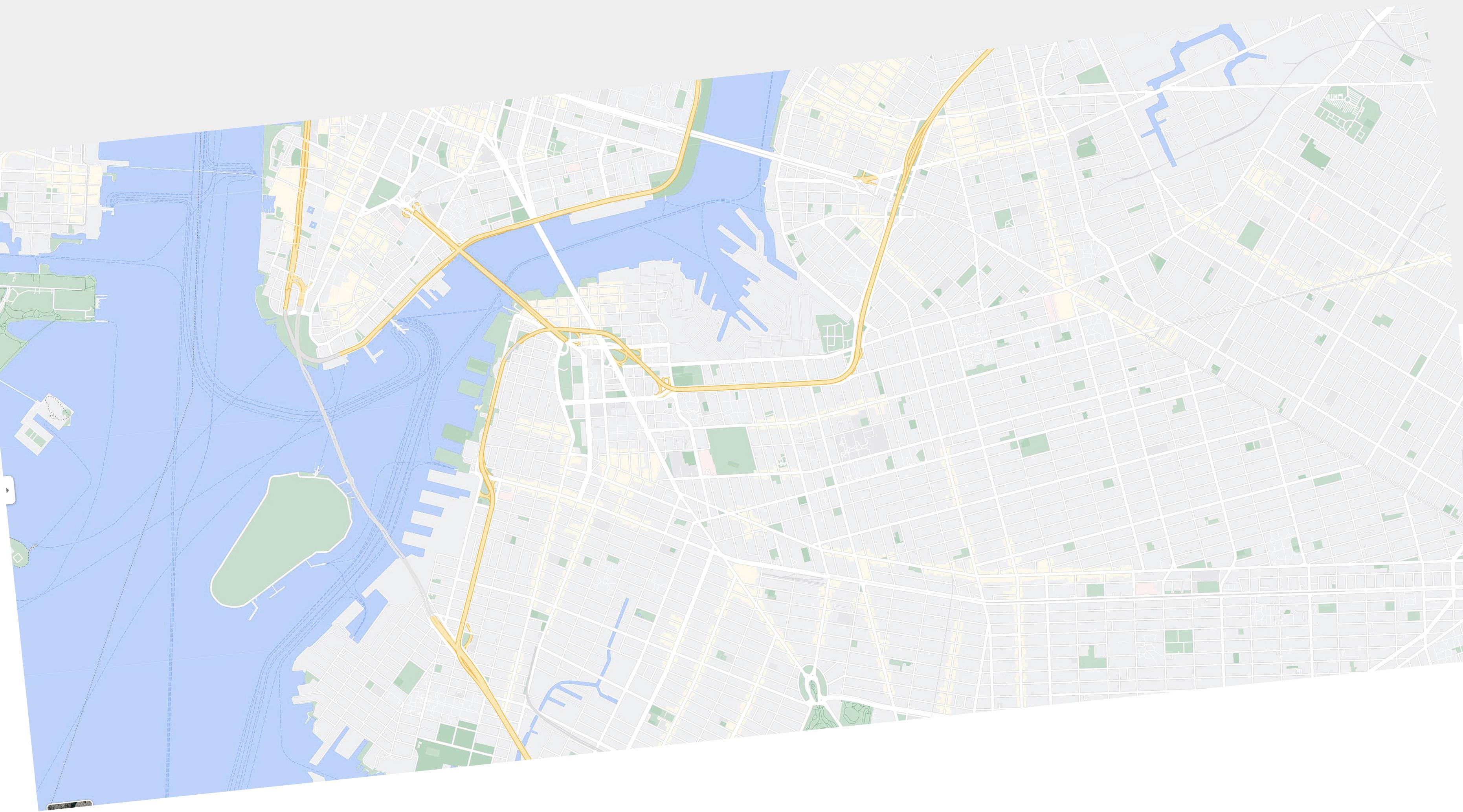
Map for roads, satellite for terrain, navigation for getting there.
Coordinates use WGS84, with GCJ02 converted automatically.
Paste coordinates from the DJI app and jump straight to the spot.
Six screens in feature order. The Mini Program itself is the final word.
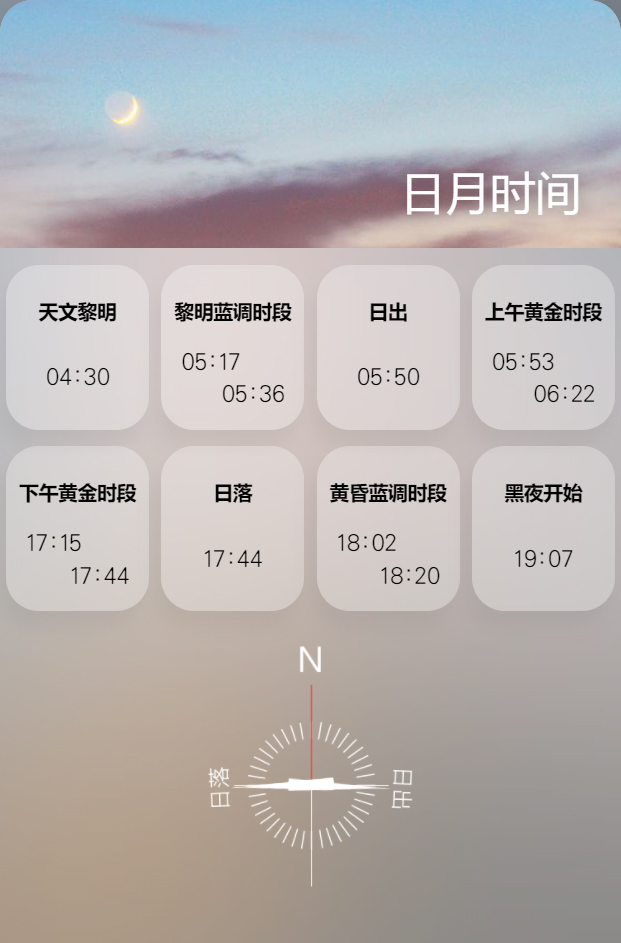
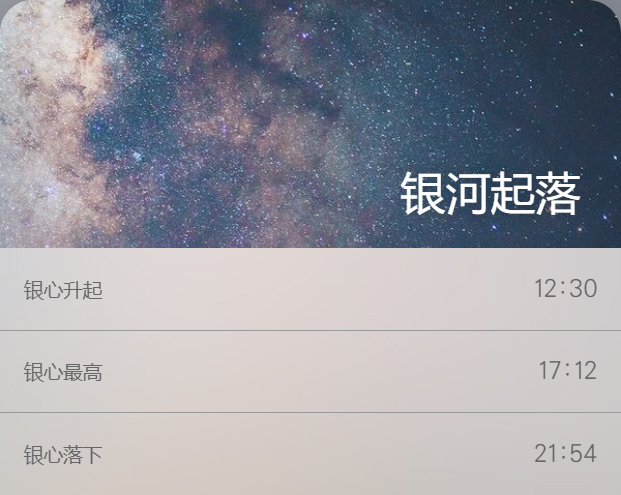
It runs inside WeChat — it is not a standalone app.
The Mini Program runs inside WeChat on Android and iOS, and also on Windows and macOS. Desktop WeChat lacks some hardware — gyroscope, GPS — so a few features may behave slightly differently.
Some features need a network connection, so stay online.
| Platform | Notes |
|---|---|
| Android / iOS | Runs in WeChat with full hardware access |
| Windows / macOS | Runs in desktop WeChat; no gyroscope or GPS, so a few features may differ |
| Network | Some features need a connection — stay online |
Added depth of field and hyperfocal calculation
Reworked the exposure calculator: cleaner interaction and layout, plus shooting suggestions
Redesigned the weather screen and switched weather and tide providers
Fixed wrong coordinates on desktop; fixed tides failing to open on desktop
Replaced the single exposure picker with a three-column picker
Added coordinate lookup to the map
Added the exposure calculator and light-painting brush; new interface
Added saved shooting spots
Added weather forecasts
Added tide forecasts; new interface
Improved performance; added a location readout
Improved performance
Rewrote the codebase; added sun and moon times, galactic core bearing and moon phase
First release, with a photo showcase
All 14 versions / 2017-12-06 — 2021-12-28